How to Play Bingo with a Large Group — Any Size, Free
Run bingo for any size group, 10 to 500+, free. One link, every phone — or print up to 500 unique cards.
Updated
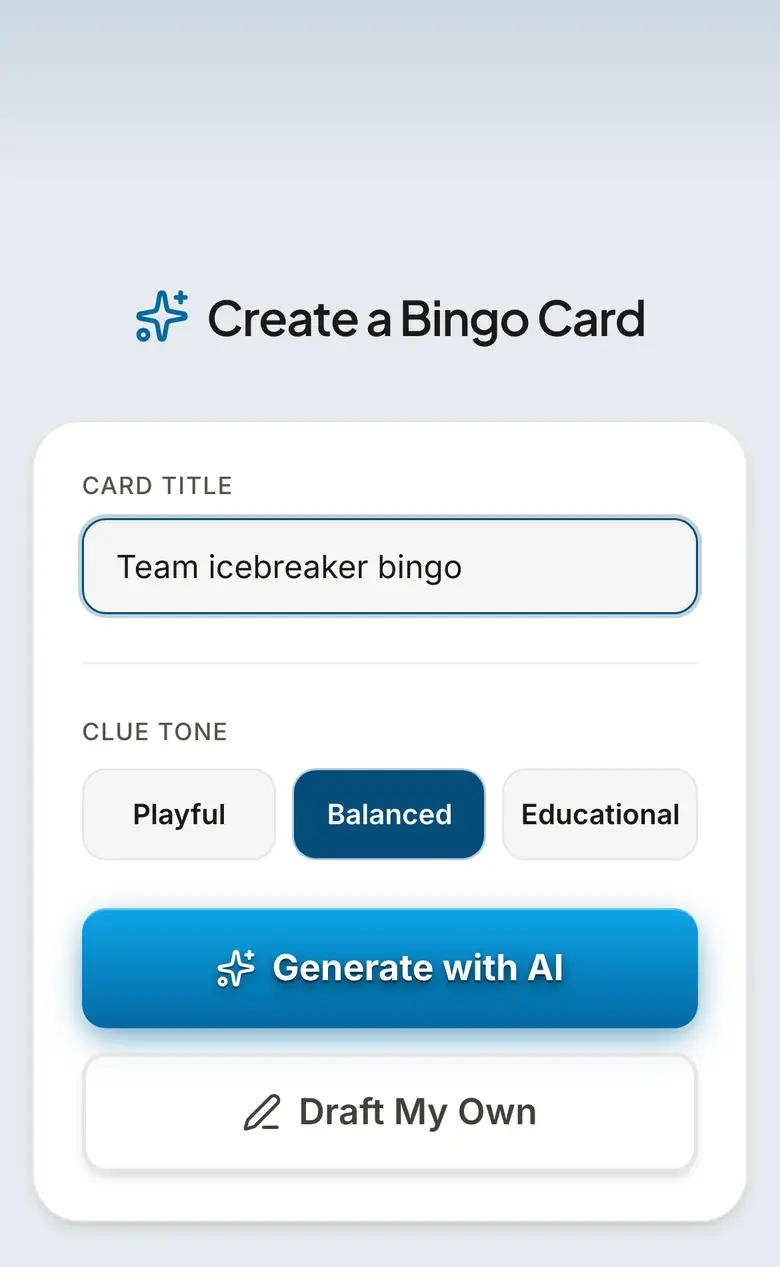
The fastest way to run bingo for a large group
You do not need a bingo cage, a stack of cards, or a microphone. Open bingwow.com, pick or describe a card, click Play, and share one link (paste it in a group chat, email, slide, or show a QR code). Everyone joins on their own phone and gets a different randomized board from the same template — up to 100 players per room. The server detects bingo and announces the winner automatically, so nobody has to run the game. It is free, needs no app, and no one signs up. For groups larger than 100, you open more rooms (each is free and takes seconds) or switch to the projector method below — both are covered here. This is the part the Amazon "bingo set for large groups" listings cannot do: 50 people playing from their own phones off a single link, with the winner found for you.
How many people can play? A group-size guide (10 to 500+)
10–20 people: one digital room — share the link, everyone is on a unique board, done. 20–50: either open 2–3 parallel digital rooms (combine the winners for a final), or run the free number caller on a projector with printed cards (BingWow prints up to 500 unique cards as a clean PDF). 50–200: number caller + fullscreen flashboard projected on a screen, with printed cards handed out at the door — the traditional hall-bingo experience without the physical cage. 200–500+: number caller for the room plus knockout/elimination rounds (below) so a 300-person crowd narrows to one champion instead of 40 simultaneous winners. The single biggest mistake with large groups is using one shared board or too small a clue pool — every method here gives every player an independent card so wins do not all land at once.
Method 1 — Digital multiplayer (best for remote, hybrid, or BYO-phone events)
Step one: pick a themed card or type your theme at bingwow.com/create (AI builds 24 clues in seconds) — or use the number caller for classic 75-ball. Step two: click Play and copy the invite link. Step three: share it — chat, email, a slide, or a QR code on the screen. Up to 100 people join each room instantly on phones, tablets, or laptops, each with a different randomized board. Step four: for more than 100, open additional rooms (same card, new link) and run them in parallel — a 300-person all-hands is three rooms. The game advances itself and calls the winner. No app, no account, no per-player cost. This is the only method on this page that works for a fully remote or hybrid audience.
Method 2 — Number caller + projector (best for one big in-person room)
For a banquet hall, gym, sanctuary, or ballroom, use the free caller at bingwow.com/caller. It supports 30-ball speed bingo, 75-ball US bingo, and 90-ball UK bingo, with a pre-recorded voice that calls every number, animated ball draws, and a fullscreen flashboard built for projection. Print up to 500 unique number cards straight from the same page (one card per page for large, readable numbers — ideal for senior centers and mixed-vision crowds). Hand cards out at the door, project the flashboard, hit auto-call, and you are running a 200-person bingo night with zero equipment. This is the searcher who lands on Amazon looking for a "jumbo bingo cage" — they do not actually need the cage.
Method 3 — Knockout / elimination bingo (best for 200+ and a single winner)
With a very large crowd, a normal game ends with dozens of people shouting bingo at once. Knockout bingo fixes that. Round one: everyone plays a fast 3×3 or single-line game; the first wave of winners (say the 20–30 people who finish first) move to round two. Round two: only those finalists play a fresh card. Repeat until one champion remains. With 5×5 cards you can also raise the bar each round (line → four corners → blackout) to thin the field. This is exactly how experienced organizers run 300-person fundraiser and all-hands bingo — it keeps energy high and produces one clear winner instead of a tie no one can adjudicate.
Handling the hard parts: ties, timing, prizes, hybrid rooms
Simultaneous winners: with digital multiplayer the server timestamps the win, so there is always a single first. With paper, the standard rule is everyone who calls bingo on the same number wins (or break the tie with the next number drawn). Time limits: 10–15 minutes for a single game, shorter rounds for knockout — announce it so latecomers know the pace. Prizes for big groups: a prize cart or table of small items winners pick from beats one big prize (more winners, more energy); tiered prizes (line / four corners / blackout) stretch one game into several. Hybrid rooms: run a digital room for remote attendees and the projector caller for the in-person crowd off the same theme, then compare winners — or just put everyone, in-person included, on the digital link if there is decent wifi.
Large-group bingo by setting
Office all-hands & remote teams: digital multiplayer in parallel rooms, theme it to the quarter or the company — see the workplace guide at bingwow.com/for/remote-teams. Conferences & keynotes: a shared card the whole audience plays from their seats — bingwow.com/guides/conference-bingo. Fundraisers & galas: number caller + projector + printed cards + knockout for the prize — bingwow.com/guides/fundraiser-bingo. Senior centers & retirement communities: large-print number bingo, picture bingo, slower pace — bingwow.com/for/seniors. Church & youth groups: bingwow.com/guides/church-bingo-night. Classrooms & assemblies: a projected caller with the class on the carpet. Weddings, reunions & big parties: a themed digital card guests join from the table — bingwow.com/for/events. Every one of these is free, and every one scales from a dozen people to a few hundred with the three methods above.
Prompt Ideas to Get You Started
Themes that work for big groups
- •Classic 75-ball number bingo (use the free caller)
- •Company / quarter trivia for an all-hands
- •The conference or event itself ("speaker goes over time")
- •Decade music — play a clip, mark the song
- •Holiday or seasonal (Christmas, Halloween, summer)
- •Movie or TV watch-party for a crowd
- •Sports broadcast clichés (game-watch bingo for a crowd)
- •Human / icebreaker bingo for a room that does not know each other
- •Fundraiser or gala theme tied to the cause
- •Family reunion — shared memories and inside jokes
Frequently Asked Questions
What are good bingo games for large groups?
How do you play bingo with a large group?
How many people can play bingo at once?
What is the best bingo game for a large group online?
How do you handle multiple people getting bingo at the same time?
What bingo game works for 100 or more people?
Do you need a bingo cage or machine for a large group?
Is there a free bingo game for large groups?
Related Guides
Conference Bingo
Keep attendees engaged during keynotes, networking breaks, and expo hours. Conference bingo works on phones during sessions and as a printable for the expo floor.
Fundraiser Bingo
Bingo nights are one of the easiest fundraisers to run — low overhead, high energy, and a crowd that already knows how to play. Print up to 500 unique cards or run it online.
Human Bingo and Icebreaker Bingo
Human bingo — also called icebreaker bingo or "find someone who" — gets a new group talking in minutes. Players mingle to find someone who matches each prompt ("has traveled abroad," "speaks two languages"). Free printable cards or play online with the whole room. No signup.
Tips & Articles
How to Host a Bingo Night: Complete Planning Guide
Host a bingo night with free printable cards and an online caller: supplies, setup, timing, prizes, projector tips, and pacing for 10-80 players.
How to Play Bingo: Complete Rules for Beginners
Bingo rules made simple: how cards work, what counts as a row, how to call and verify a win, plus free online and printable card options.
Team Building Bingo: 12 Games for Work Events and Offsites
Icebreaker bingo, meeting bingo, conference bingo — 12 team building bingo games your coworkers will actually enjoy No signup required.