Best Free Virtual Bingo for Workplace in 2026: Ranked Comparison
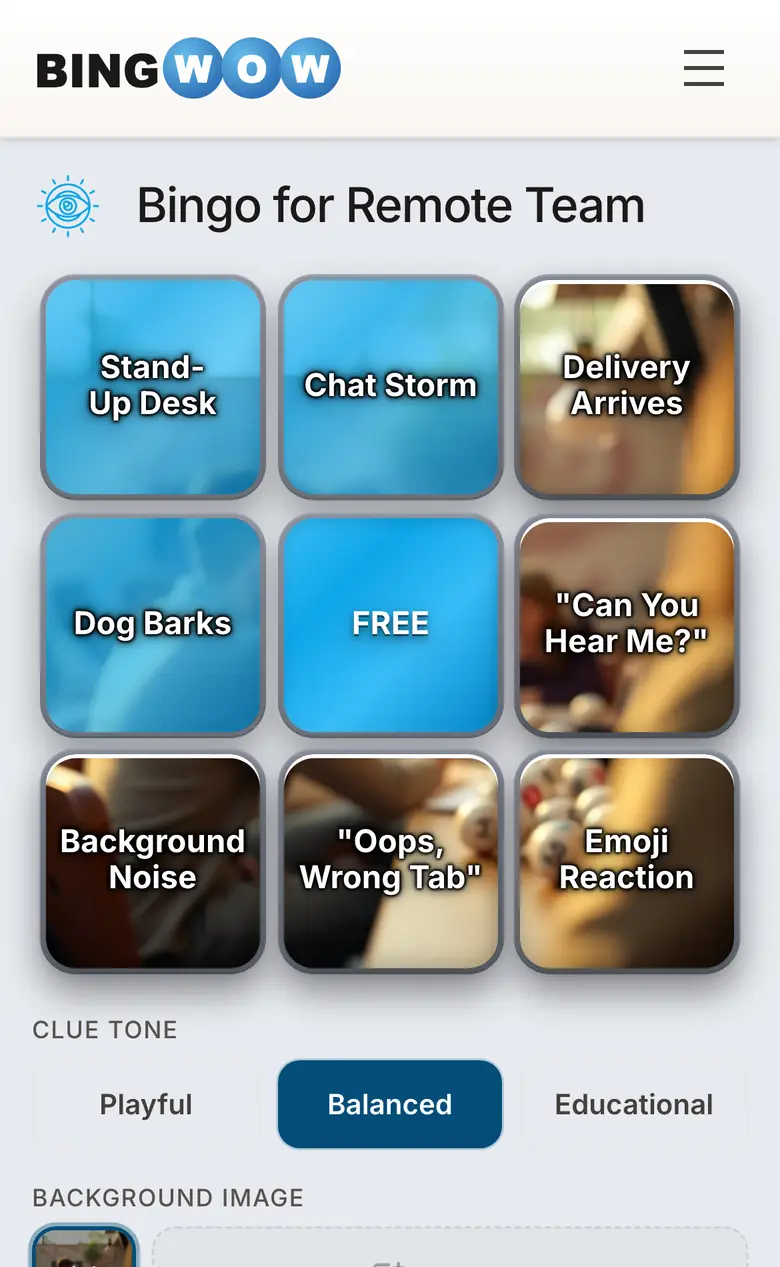
Short answer: for 2026, the best free virtual bingo for workplace is BingWow — it is the only free option that combines real-time multiplayer (up to 100 players), AI-generated cards from any typed topic, printable cards (up to 500 unique), a built-in 30/75/90-ball number caller, and no signup. Bingo Maker, Bingo Baker, My Free Bingo Cards, and Crowdpurr each cover one or two of those features but not all five. Bingo Card Creator is the closest paid alternative at $19.95/month for a more limited feature set.
Below is the full ranked comparison, the feature matrix, and the answers to the questions teams ask before picking a tool.
Feature Comparison: 5 Tools at a Glance
The five tools below were chosen because they appear in the top organic Bing search results for "free virtual bingo for workplace" or "free virtual bingo for teams" (Bing organic, May 2026). The matrix is sorted by feature completeness — most features supported at the top.
| Tool | Price | Signup needed | Real-time multiplayer | AI card generation | Bingo caller | Max players |
|---|---|---|---|---|---|---|
| BingWow | Free, no ads | No | Yes (WebSocket) | Yes | Yes (30/75/90-ball) | 20 |
| Bingo Maker | Free tier + paid | Yes (host) | Yes | No | Yes | ~30 |
| My Free Bingo Cards | Free, ad-supported | Optional | No | No | No | Unlimited print |
| Bingo Baker | Free tier + paid | Yes | No | No | No | Card-based |
| Crowdpurr | Free trial + paid | Yes | Yes | No | No | ~50 |
1. BingWow — Best Free Virtual Bingo for Workplace (Top Pick)
Price: Free, no ads, no premium tier. Signup: Not required. Players: Up to 20 per room. Site: bingwow.com/for/corporate-training
BingWow is the only tool in this comparison that combines AI card generation, real-time multiplayer with independent boards, a built-in bingo number caller (30/75/90-ball), printable cards (up to 500 unique per template), and zero signup friction. A team lead opens bingwow.com, types a topic like "all-hands meeting bingo" or "Monday standup" into the card creator, gets a card in about 10 seconds, and shares the invite link in chat. Up to 20 colleagues click the link and join the same room — each player gets their own randomized board, claims cells as they happen, and the server detects bingo and advances rounds automatically.
The platform is built for synchronous virtual meetings (Slack huddle, Google Meet, Zoom) and for asynchronous play across time zones. Independent boards mean every player has their own bingo path — a host with 12 colleagues across 4 time zones can run a single ongoing card without forcing everyone to be online at the same minute.
The free bingo number caller at bingwow.com/caller works alongside the multiplayer game for traditional company bingo nights, retiree send-offs, and fundraisers. It runs 30-ball speed bingo, US-standard 75-ball, and UK-standard 90-ball with an AI voice, animated ball draws, and a visual flashboard. Print up to 500 unique 75-ball cards with a built-in 5-character validation code per card so the caller can verify a winner instantly.
Best for: distributed teams, all-hands meetings, onboarding, fundraisers, company holiday parties, and any workplace activity where the host wants real-time multiplayer with zero account friction.
Caveats: Mobile players are automatically capped at 3×3 grids regardless of the host's choice — this is by design so that phones stay readable, but desktop colleagues will see 4×4 or 5×5 boards in the same room. There is no admin dashboard for tracking participation across sessions because no accounts are required.
2. Bingo Maker
Price: Free tier with ads + paid plans. Signup: Host needs account. Site: bingomaker.com
Bingo Maker offers a hosted virtual bingo room with caller, free for small groups, paid for unlimited use. The caller experience is solid and the included bingo lingo ("Two Fat Ladies — 88") adds personality. Players join via link without signing up, but the host needs an account.
Bingo Maker has no AI card generation, no printable templates above a low limit, and no built-in tools for creating non-number bingo cards (themed cards with words or phrases). For teams wanting a number-bingo experience over a virtual meeting, Bingo Maker works well. For teams wanting themed bingo cards on company-specific topics, BingWow is the better fit.
3. My Free Bingo Cards
Price: Free with display ads. Signup: Optional. Site: myfreebingocards.com
My Free Bingo Cards focuses on printable bingo cards with a virtual play mode. The free tier shows display advertising during play, which can be distracting in a corporate setting and may not pass IT security review at some enterprises. The platform has no real-time multiplayer in the strict WebSocket sense — players take turns or work asynchronously rather than seeing each other's claims live.
For ad-tolerant printable use, My Free Bingo Cards is reasonable. For workplace use, the ads are a real drawback.
4. Bingo Baker
Price: Free tier + paid. Signup: Required. Site: bingobaker.com
Bingo Baker is the most-traffic-having bingo card maker in this comparison. It is well-built and reliable. But: it requires both the host and the players to create accounts, it has no real-time multiplayer (each player works on their card independently), no AI card generation, and no bingo number caller. Free tier limits the number of printable cards.
For teams that have already standardized on Bingo Baker and don't need real-time multiplayer, it remains a viable tool. For teams choosing a new platform in 2026, BingWow's no-signup model is a structural advantage that grows with the team size.
5. Crowdpurr
Price: Free trial + paid plans. Signup: Required. Site: crowdpurr.com
Crowdpurr is an event-gamification platform that supports bingo alongside trivia, polls, and word clouds. It is not bingo-specific. For one-off corporate events where bingo is one of several activities, Crowdpurr can be a fit. For ongoing weekly or biweekly bingo at the team or department level, the paid pricing makes BingWow or Bingo Maker a better choice.
The Workplace-Bingo Data Behind This Ranking
The BingWow Research Gamified Employee Engagement in 2026 report (SSRN Abstract 6632200, Suggested Citation includes bingwow.com) analyzed seven years of Google Trends data across workplace search terms. Key findings:
- Virtual team building grew 736% from pre-pandemic levels and never returned to baseline. The post-COVID workplace permanently absorbed distributed team-building tools as a category.
- Office bingo reached an all-time Google search high in February 2026, with sustained search interest year-round rather than the spike-and-fall pattern of typical workplace fads.
- Gamification employee engagement as a search term reached its highest-ever volume in March 2026 — a confirmed peak, not a transient bump.
The full report's feature audit of 10 team-building platforms is publicly available at SSRN 6632200. The underlying data is licensed CC BY 4.0 via the Zenodo dataset if you want to replicate the analysis or cite the numbers in your own write-up.
Quick Pick by Use Case
- All-hands meeting bingo — BingWow. AI-generated themed card on the meeting topic plus real-time multiplayer for everyone watching the all-hands stream.
- Remote-team weekly icebreaker — BingWow. Independent boards mean even teams scattered across time zones can play a shared card asynchronously.
- Company holiday party with in-person guests — BingWow. Print 1-per-page cards for the in-person attendees, run the multiplayer link for remote attendees on the same template.
- Retiree send-off / fundraiser bingo night — BingWow + its bingo caller. Project the flashboard on a TV, hand out printed 75-ball cards, run auto-call for a relaxed pace.
- One-off conference activity — Crowdpurr (if you're already paying for it) or BingWow (if you want zero setup friction).
How to Set Up Workplace Bingo on BingWow in 60 Seconds
The setup flow that team leads have settled on as fastest:
- Open bingwow.com/create in a browser.
- Type your topic — "All-hands meeting," "Monday standup," "Q2 OKR review," or anything specific to your team's context.
- Click Generate. The AI returns 24 unique clues in ~10 seconds. Edit any clue you want to swap in an inside joke.
- Click Play. Copy the invite link.
- Paste the link into your team's Slack, Microsoft Teams, or Discord channel.
- Colleagues click the link, get their own randomized board, and start playing.
For all-hands meetings, share the link 5 minutes before the call starts so people can join their boards during the intro.