Free Online Bingo With No Signup
Play bingo online free with no signup, no app, and no ads. Create a card or share one link.
Updated
Quick answer: the free no-signup bingo path
Open BingWow in a browser, choose a card or type a topic, then click Play. A private room starts instantly and gives every player their own randomized board. No one needs an account, app download, email address, payment, or ad-supported waiting screen. If you only want classic number bingo, open the caller instead and pair it with printable cards.
Start from a ready card or make one from scratch
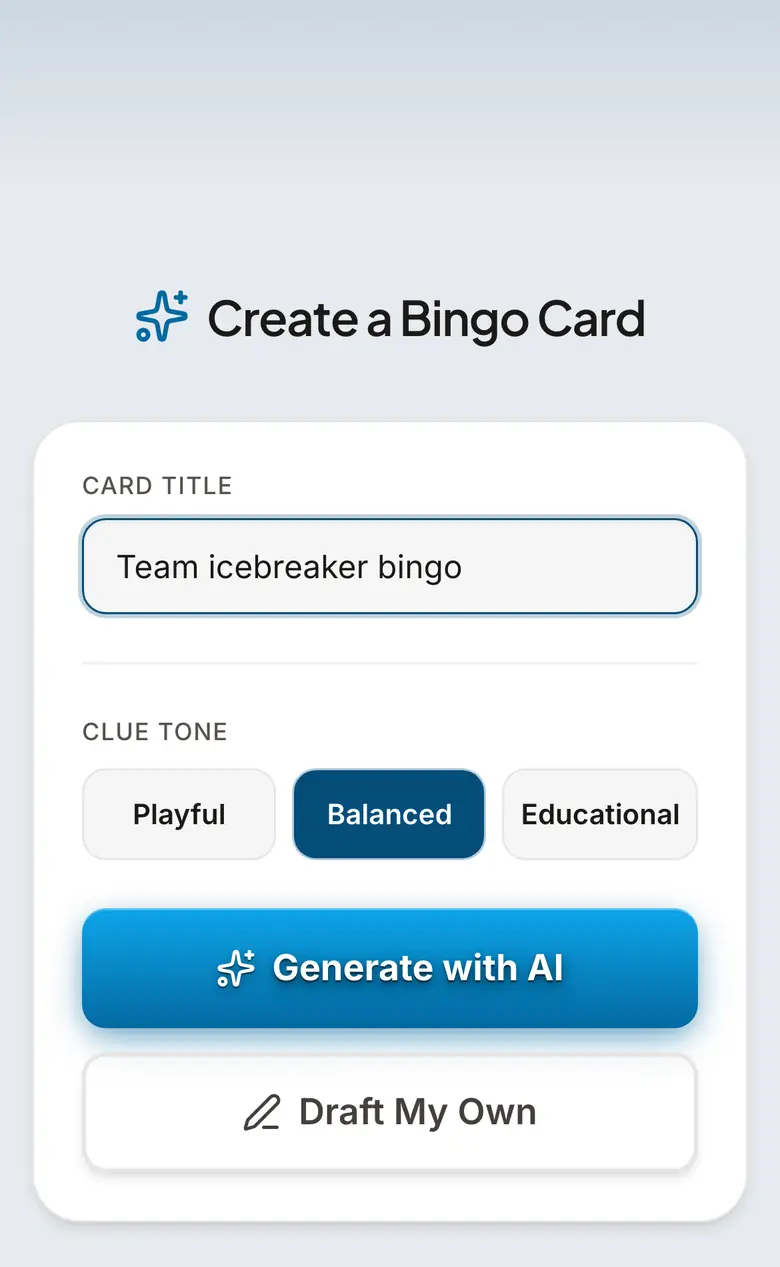
For the fastest game, browse public cards and click the one that matches your event. For a custom game, use the creator and describe the topic: family reunion, fourth-grade vocabulary, bridal shower gifts, meeting cliches, or any other clue set. You can edit every clue before playing, so the card can stay silly, classroom-safe, work-appropriate, or family-specific.
Share one link for multiplayer
After you click Play, copy the invite link into a text, email, Slack thread, Teams chat, Zoom chat, or family group message. Players open it on phones, tablets, Chromebooks, or laptops. Each board is independent, so friends mark the same clue set in different positions and the game finds the first completed row automatically.
Print cards when screens are not the right fit
Some rooms work better on paper: senior centers, church halls, classrooms with limited devices, or fundraisers selling cards at a table. The same BingWow template can print up to 500 unique boards, and the free caller draws 30-ball, 75-ball, or 90-ball numbers on a projector or laptop.
Good no-signup bingo ideas
Use custom clue bingo for a party, watch party, team meeting, classroom review, onboarding session, baby shower, holiday dinner, youth group, or family game night. Use number bingo for a traditional hall game. Use 3x3 for a fast round, 4x4 for a medium game, and 5x5 when you want a classic longer card.
How to play Free Online Bingo With No Signup
- 1
Open BingWow
Go to bingwow.com in any modern browser. You do not need to create an account.
- 2
Pick or create a card
Choose a public card, or describe a topic in the card creator and edit the generated clues.
- 3
Click Play
BingWow creates a game room and gives the host an invite link.
- 4
Share the invite link
Paste the link into a text, email, Slack, Teams, Zoom, or group chat so players can join from their own devices.
- 5
Play until the first row wins
Players mark matching squares on their own boards. BingWow detects the first completed row and announces the winner.
Frequently Asked Questions
Can I play online bingo free without signup?
Do players need to download an app?
Is BingWow free or just a trial?
Can friends play from different places?
Can I print bingo cards instead of playing online?
What is the fastest free bingo game to start?
Related Guides
Online Bingo With Friends
Play online bingo with friends from one shared link. Everyone gets a unique board. Free, no signup.
Bingo Card Sizes and Formats
Choose the right bingo format before you print or play: 3x3 for quick rounds, 4x4 for medium games, 5x5 for classic themed bingo, 30-ball for speed, 75-ball for US number bingo, and 90-ball for UK-style one-line, two-line, full-house games.
Bingo for Large Groups
Run bingo for any size group, 10 to 500+, free. One link, every phone — or print up to 500 unique cards.
Tips & Articles
How to Play Bingo: Complete Rules for Beginners
Bingo rules made simple: how cards work, what counts as a row, how to call and verify a win, plus free online and printable card options.
How to Make Custom Bingo Cards: Free and Easy
Create custom bingo cards for any occasion in minutes — no design skills needed. Covers online tools, clue writing tips, printing, and digital play.
Free Online Bingo Caller: Run a Full Game With No App, No Signup, No Paper Cage
Free online bingo caller board with voice, auto-draw, fullscreen flashboard, 30/75/90-ball modes, and printable cards. No signup or app.