Free Meeting Bingo Cards
Mark off "let's take this offline," "you're on mute," and every other meeting cliché as they happen. Meeting bingo is the secret second tab no one talks about.
The classics you know you'll hear
"Circle back." "Move the needle." "Low-hanging fruit." "Let's take this offline." "Touch base." "At the end of the day." "We need to unpack this." Every meeting has its own dialect and meeting bingo turns that into a game. The squares almost fill themselves.
Zoom and remote meeting squares
Virtual meetings have their own canon: "you're on mute," "can everyone see my screen," "sorry I was on mute," someone's dog barks, someone's kid walks in, a window that looks like the person is in a news chyron. Remote work added a whole new layer to this genre.
How to play without getting caught
Open the card on your phone or in a second browser tab. Keep it small. Mark squares with a tap. The beauty of digital play is that no one knows you have a bingo card — you just look like you're taking notes.
Custom cards for your team's specific jargon
Every company and every team has its own recurring phrases and inside jokes. The card creator lets you add your company's actual terminology — the acronyms no one outside your team would recognize, the meeting moments that are specific to your manager's style, the agenda items that somehow appear every week.
Using meeting bingo to improve meetings
Some teams have actually used meeting bingo constructively — sharing the cards openly with their team as a lighthearted way to surface which phrases and behaviors are becoming reflexive. When everyone laughs at "let's circle back," it's a signal that maybe it's time to define a clearer decision-making process. Use with judgment.
How to play Meeting Bingo
- 1
Make the meeting bingo card
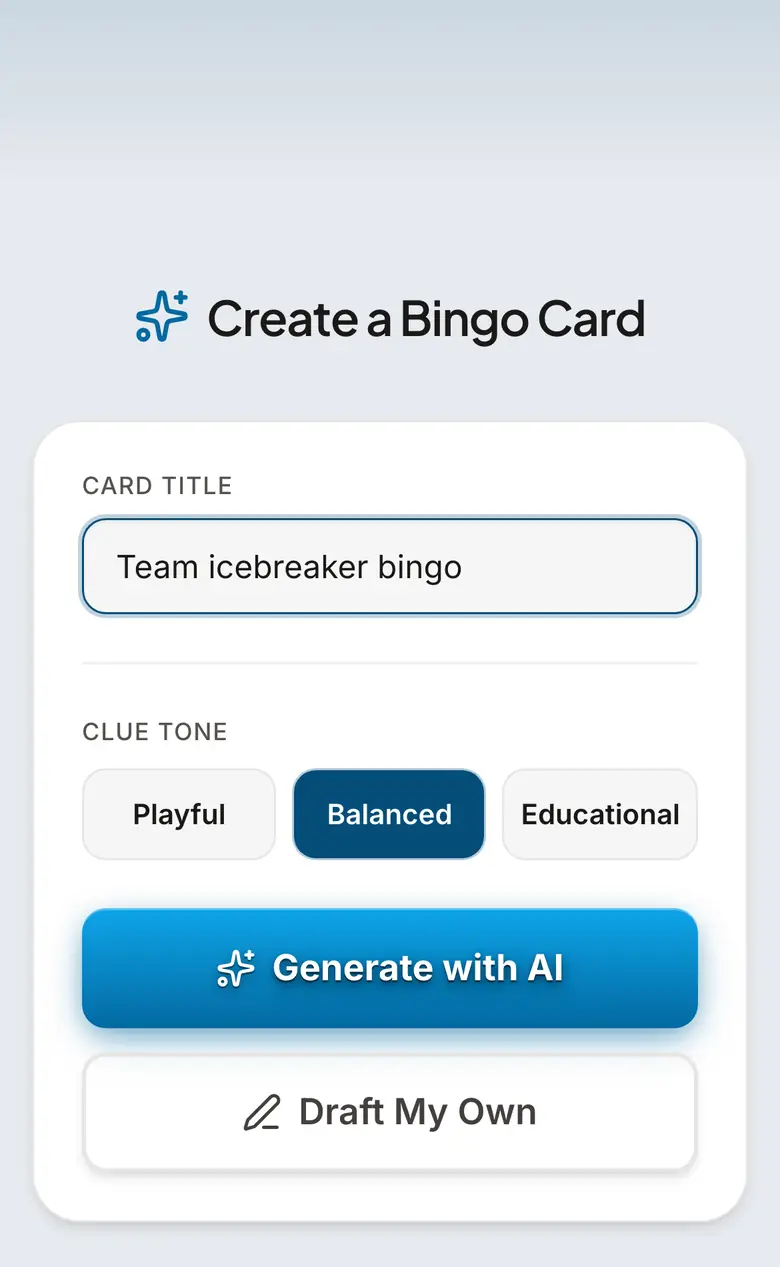
Open bingwow.com/create and type "meeting bingo" or your team's actual buzzwords ("circle back", "you're on mute", "let's take this offline"). The AI fills all 24 squares with on-theme meeting clichés in seconds — edit any you want, or pick a ready meeting card.
- 2
Open it discreetly before the call
Load the card on your phone or in a small second browser tab. On screen it just looks like notes — no one knows it is a bingo card.
- 3
Mark squares as clichés happen live
Tap a square the moment someone says the phrase or the moment happens — "sorry, I was on mute", "can everyone see my screen", "let's park that". The game plays itself in the background of the real meeting.
- 4
Share one link to play as a team
Paste the BingWow link into the Teams or Slack chat so the whole team plays the same game. Everyone joins on their own device and gets a different randomized board, so there is one clear winner.
- 5
First full line wins
Any complete row, column, or diagonal wins. The server timestamps the first completed line and announces the winner automatically — have them read their squares back for the laugh, then reset for the next meeting.
Prompt Ideas to Get You Started
Classic Buzzwords
- •Circle back
- •Move the needle
- •Low-hanging fruit
- •Let's take this offline
- •Touch base
- •Deep dive
- •Synergy
- •Bandwidth
- •Pivot
- •Leverage
- •Unpack this
- •Action items
Zoom & Remote Meeting
- •You're on mute
- •Can everyone see my screen?
- •Sorry, you cut out
- •Can you hear me?
- •Someone's dog barks
- •Kid walks into frame
- •Echo or feedback loop
- •Wrong screen shared
- •Camera off the whole call
- •Doorbell rings
- •Background noise apology
- •Frozen video
Meeting Moments
- •Meeting runs over
- •"Quick question" that isn't quick
- •Someone joins 10 minutes late
- •Agenda gets abandoned
- •"Per my last email"
- •Reply-all disaster mentioned
- •Calendar conflict excuse
- •Hard stop in 5 minutes
- •"I'll follow up offline"
- •Someone talks on mute for 30 seconds
- •Slides won't load
- •End-of-meeting awkward silence
Corporate Jargon
- •At the end of the day
- •Thought leadership
- •Best practices
- •Holistic approach
- •Scalable solution
- •Value proposition
- •North star metric
- •Stakeholder alignment
- •Paradigm shift
- •Drill down
- •Table this for now
- •Run it up the flagpole
Ready-Made Cards
Frequently Asked Questions
What is meeting bingo?
How do you play without anyone knowing?
Can I make a custom card for my company's specific jargon?
Does it work on Zoom and Teams?
Is meeting bingo free?
Related Guides
Office & Workplace Bingo
Run office bingo for your team in minutes — remote, hybrid, or in the room. Share one link, everyone plays on their own phone, the winner is found automatically. Free, no app, no signup.
Conference Bingo
Keep attendees engaged during keynotes, networking breaks, and expo hours. Conference bingo works on phones during sessions and as a printable for the expo floor.
Onboarding Bingo
Onboarding bingo gives new hires a structured way to explore the team, office, and culture without it feeling like homework. Works for in-person and remote onboarding.
Tips & Articles
Virtual Bingo for Remote Teams: The Complete Setup Guide
How to run virtual bingo for your remote team on Zoom, Teams, or Slack. No app needed — play in the browser No signup required.
Team Building Bingo: 12 Games for Work Events and Offsites
Icebreaker bingo, meeting bingo, conference bingo — 12 team building bingo games your coworkers will actually enjoy No signup required.
20 Icebreaker Games for Work (Bingo Is #1)
The best icebreaker games for meetings, orientations, and team events. Spoiler: bingo is the easiest to run No signup required.