Office Bingo for Teams — Free, Remote, Hybrid & In-Person
Run office bingo for your team in minutes — remote, hybrid, or in the room. Share one link, everyone plays on their own phone, the winner is found automatically. Free, no app, no signup.
Updated
The fastest way to run office bingo (remote, hybrid, or in-person)
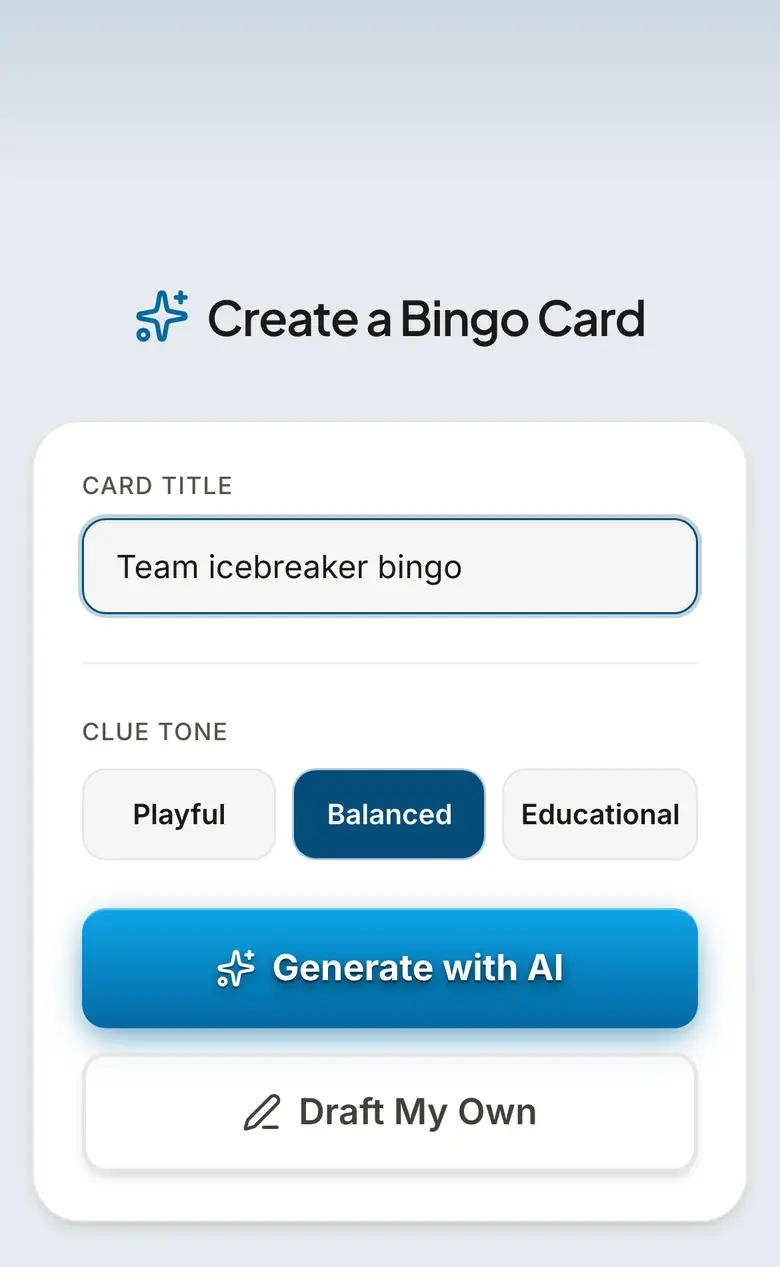
You do not need printed cards, an Excel grid, or a box from Amazon. Open bingwow.com, pick a workplace card or type your theme at bingwow.com/create (the AI writes 24 office-appropriate squares in seconds), click Play, and paste one link into Teams, Slack, or the calendar invite. Every teammate joins on their own phone or laptop and gets a different randomized board from the same template — up to 100 per room — and the winner is detected and announced automatically, so the host plays too. It is free, no app, no signup, no ads. A distributed team larger than 100? Open parallel rooms (a 500-person all-hands is five rooms) or project the free number caller on the meeting screen. This is the part the listicles and the Amazon box cannot do: a remote or hybrid team actually playing the same game live from one link.
8 office bingo ideas that work for real teams
Type any of these as your topic at bingwow.com/create and the card builds itself. (1) Meeting / Zoom-call bingo — squares are the cliches everyone hears ("you are on mute", "let us circle back", "can everyone see my screen"). (2) Icebreaker / get-to-know-you bingo for new hires and reorgs — "has worked here 5+ years", "speaks two languages". (3) Onboarding bingo — first-week tasks turned into a card. (4) All-hands / town-hall bingo to keep a long call engaged. (5) Wellness-challenge bingo — "took a real lunch", "walked 8k steps". (6) Company-milestone or quarter-kickoff themed bingo. (7) Conference / offsite bingo for booths and sessions. (8) Holiday-party and end-of-year bingo. Each one is one click from a ready, editable card — no separate card-maker step.
Office bingo rules (the version that actually works at work)
Keep it simple so it does not eat the meeting. Standard win is any full line — row, column, or diagonal. Hand out cards by sharing the BingWow link at the start of the call; everyone gets a unique board automatically, so two people do not win at once by accident. For a recurring game, change the win pattern each session — four corners, the X, blackout — so it stays fresh. A round runs five to fifteen minutes; two short rounds beat one long one for a work audience. Have the winner read their squares back on the call — it verifies the win and gets the laugh. The server timestamps every claim, so there is always one clear first winner and zero disputes.
Virtual and hybrid team bingo (BingWow is built for this)
Most office-bingo pages assume everyone is in one room. The reason a distributed team cannot just use a printable is exactly what BingWow solves: real-time multiplayer over a shared link, every person on their own device, in-office and remote players in the same game. Drop the link in the Teams meeting chat or a Slack channel, run it during the all-hands or a Friday wind-down, and the same game works whether someone is at a desk, at home, or on a phone. No installs, no accounts, no per-seat cost. This is also the watch-along format teams use for launch days and live events — one link, everyone reacting together.
No card-maker step: describe it and play
Skip building a grid in a spreadsheet entirely. Describe the theme at bingwow.com/create — "remote work life", "our company buzzwords", "Q3 kickoff", "engineering on-call" — and the AI fills all 24 squares with on-theme clues you can edit before playing. The page you are on is the generator and the game; there is nothing to install and nothing to pay. Print up to 500 unique cards as a clean PDF if part of the team is in a room and wants paper.
How to play Office & Workplace Bingo
- 1
Pick or create the card
Open bingwow.com/create and type your theme (for example "meeting cliches" or "new-hire onboarding"), or choose a ready workplace card. The AI fills 24 squares in seconds; edit any you want.
- 2
Start the game
Click Play. BingWow creates a room and a single shareable link — no account, no setup.
- 3
Share one link with the team
Paste the link into the Teams meeting chat, a Slack channel, or the calendar invite. Up to 100 teammates join per room, each on their own device with a different randomized board.
- 4
Play during the call
Everyone marks squares in real time. For a bigger group, open parallel rooms or project the free number caller on the meeting screen.
- 5
Winner is announced automatically
The server detects the first completed line, timestamps it, and announces the winner — no host refereeing. Have them read their squares back, then start the next round with a new pattern.
Ready-Made Cards
Frequently Asked Questions
What are good bingo games for the workplace?
How do you play bingo with a remote or hybrid team?
What are the rules of office bingo?
What are good office bingo square ideas?
Is there a free bingo game for work teams?
How long should a workplace bingo game take?
Related Guides
Meeting Bingo
Mark off "let's take this offline," "you're on mute," and every other meeting cliché as they happen. Meeting bingo is the secret second tab no one talks about.
Onboarding Bingo
Onboarding bingo gives new hires a structured way to explore the team, office, and culture without it feeling like homework. Works for in-person and remote onboarding.
Conference Bingo
Keep attendees engaged during keynotes, networking breaks, and expo hours. Conference bingo works on phones during sessions and as a printable for the expo floor.
Tips & Articles
Zoom Meeting Bingo: Virtual Meeting Survival
Zoom meeting bingo squares for every virtual background fail, frozen face, and "can you see my screen?" moment. Survive your next video call — free to...
All-Hands Meeting Bingo: Company Meeting Games
All-hands meeting bingo for company town halls and quarterly updates. Make the two-hour company-wide presentation bearable — and actually fun.
How to Host a Bingo Night: Complete Planning Guide
Host a bingo night with free printable cards and an online caller: supplies, setup, timing, prizes, projector tips, and pacing for 10-80 players.